Preferred candidate language
Chinese is prioritized by default. Choose Japanese priority in settings; frequently used suggestions can still move ahead through learning.
Chinese & Japanese keyboard · Android
From “你好” to “コンビニ”.
Chinese pinyin and Japanese romaji flow naturally on the same keyboard.
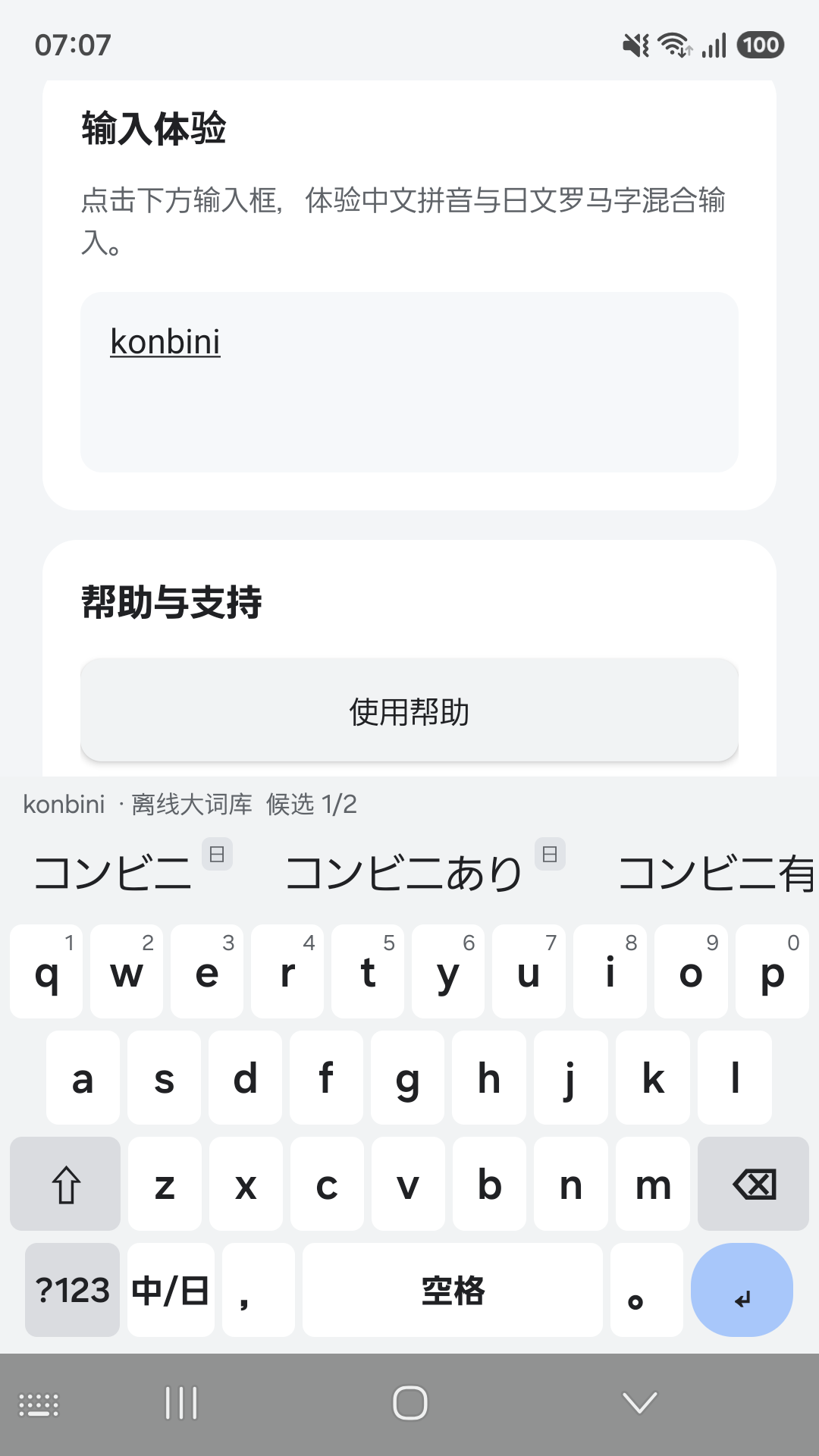
Actual app screen · Android 16
01 / HOW IT WORKS
Type familiar readings and choose Chinese or Japanese from one candidate bar. You can also switch to Chinese, Japanese or English mode.
sanOne reading can offer choices in different languages.
Examples illustrate features. Actual suggestions and order depend on the input context, language preference and learning history.
02 / YOUR PREFERENCES
Learning uses candidate selection frequency to make familiar words easier to find. Chinese, Japanese and mixed suggestions can move up as you use them.
About local learningChinese is prioritized by default. Choose Japanese priority in settings; frequently used suggestions can still move ahead through learning.
Choose Chinese character forms for your needs. Japanese words retain their original forms.
Long-press numbers and symbols, emoji, manual paste, editing tools and cursor movement by dragging the space bar.
03 / SCREENSHOTS
Real Samsung phone screenshots from version 0.17.7.
Select an image to see the full screen.
Type a familiar reading. Choose the right expression.
Combine common words into longer suggestions.
Manage character forms, language priority and learning records.
YOUR INPUT STAYS ON YOUR DEVICE
Input and conversion are processed locally. No advertising or analytics SDKs. Disable learning or clear its records at any time.
04 / ANDROID DOWNLOAD
The Google Play download link is coming soon. Once available, scan the QR code here to open the app listing.
Open Google PlayApp: 中日双语输入法 · PolyTypa
Scan here once the app is available